

Vous êtes un particulier ou une entreprise?
Stock It Easy est un logiciel de gestion de stock s’adressant aux petites et moyennes entreprises ainsi qu’aux centres de formation et aux établissements scolaires.
Son ergonomie didactique et agréable facilite sa prise en main, il est facile de démarrer rapidement à gérer ses stocks à l’aide du logiciel.
L’utilisation de base permet les encodages simples de la gestion d’un stock ou d’un inventaire, d’une base de données d’articles, de ses clients et de ses fournisseurs. Si votre métier requiert un paramétrage ou un encodage plus précis, les réglages et les nombreuses fonctionnalités de Stock It Easy devraient répondre à la majorité des cas d’utilisation d’une gestion de stock.
Vous pouvez grâce au programme gérer plus d’un entrepôt, ainsi, les rapports, classements, documents, inventaires seront utilisable par entrepôt, mais vous pourrez toujours avoir une vue globale de votre situation de stock.
La version « lite » est entièrement gratuite. Cette version permet au plus grand nombre d’utilisateurs de réaliser la gestion de stock de leurs marchandises, avec les principales fonctionnalités accessibles.
Testez gratuitement la version complète de Stock It Easy 8 (WMS +CRM) en mode mono ou multi utilisateurs pendant 1 mois.
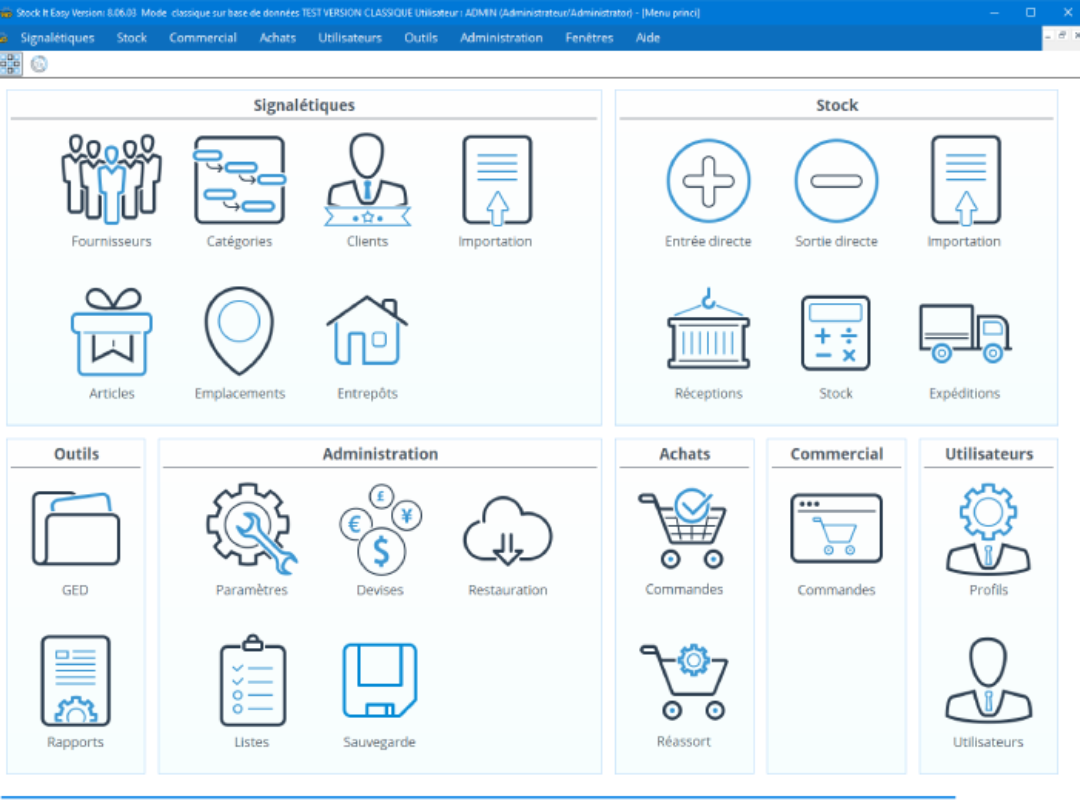
Stock It Easy 8 est un véritable WMS (Warehouse Management System) combiné à un CRM (Customer Relation Management). Les fonctionnalités offertes couvrent la majorité des étapes de la Supply Chain, à savoir :
- Les achats
- La réception
- La gestion du stock
- Les commandes de vente
- Les expéditions
- La facturation

Téléchargements
Téléchargement gratuit sans inscription préalable.
Fonctionnalités de Stock It Easy


Stocks

Entrepôts

Clients

Emplacements

Catégories

Listes

Devises

Profils

Utilisateurs

Fournisseurs

Traçage et suivi

Livraisons


Imprimer
Code-barres


années d'existence
téléchargements / mois
clients satisfaits
Tarifs de Stock It Easy 8

- Gestion du stock sur 1 ordinateur
- Plusieurs entrepôts
- Gestion des fournisseurs
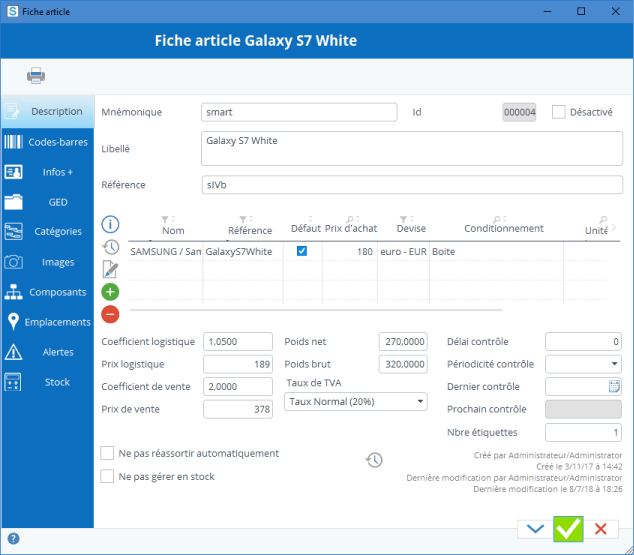
- Gestion des articles
- Gestion des stocks
- Gestion électronique des documents
- Impression et lecture code-barres
- Rapports divers
Gratuit

- En plus de la version Lite
- Multi utilisateurs (en réseau)
- Gestion des réapprovisionnements fournisseurs
- Gestion des livraisons
- Gestion des clients
- Offres et commandes clients
- Expéditions
- Facturation
- Abonnement pour un utilisateur pendant un an
- Soit 9,9€/mois
119€ 1 utilisateur 1 an
Je choisi- En plus de la version Lite
- Multi utilisateurs (en réseau)
- Gestion des réapprovisionnements fournisseurs
- Gestion des livraisons
- Gestion des clients
- Offres et commandes clients
- Expéditions
- Facturation
- Abonnement pour un utilisateur pendant un mois
11.9€ 1 utilisateur 1 mois
Je choisi- Accès à toutes les fonctionnalités de la version complète mais uniquement en consultation
- Abonnement pour un utilisateur pendant un an
- soit 4.9€/mois
59€ 1 utilisateur 1 an
Je choisiEtablissements scolaires et centres de formation, contactez-nous pour un devis sur mesure.
De 2005 à aujourd'hui
-
Jan, 2005
Au départ
La naissance du logiciel résulte d'une réalisation pour un client qui désirait une gestion simple de ses stocks de matériel. Ce client utilisait SAP pour son business principal, mais voulait gérer ce stock en dehors de leur ERP pour plus de souplesse et de facilités. Après de multiples recherches, ce type de logiciel à la fois simple, souple et adaptable n'existait pas...
-
Jan, 2006
En ligne
Une version tout publique est publiée en ligne. Nous l'appelons GestStock, mais elle est rapidement renommée en Stock It Easy. Elle est gratuite, se distribue sur la plupart des plateformes de logiciels gratuits qui fleurissent à l'époque.
-
Jan, 2009
Version 5
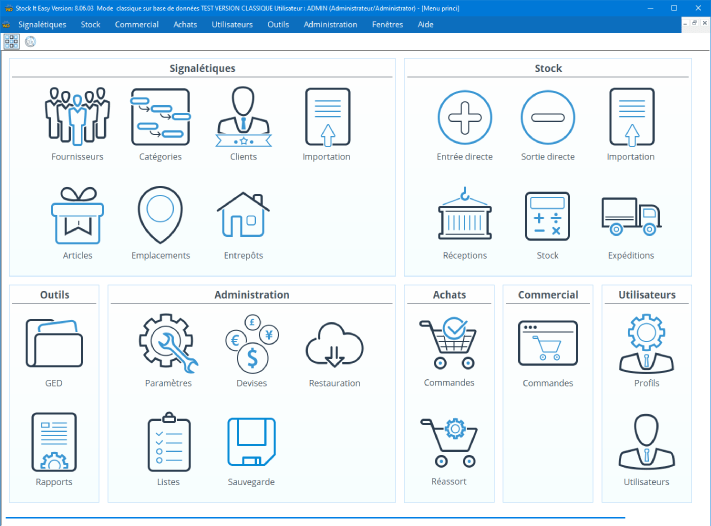
On se professionnalise, la version 5 est la première version commerciale. Le menu principal se compose d'images donnant accès aux principales fonctionnalités.
-
Jan, 2010
Version 6
La version 6 est une évolution en fonctionnalités de la 5. De nombreux clients nous ont aidé à nous améliorer grâce à leurs remarques et demandes diverses.
-
Jan, 2013
Version 7
La version 7 est la version de la stabilité. Cette version est disponible et mise à jour depuis 5 ans. L'ergonomie s'est sensiblement améliorée, ainsi que la compatibilité avec une application externe sur terminal mobile, et aussi avec une base de données SQL-Server.
-
Jan, 2018
Version 8
Cette version est une grande révolution. La majorité du code à été réécrite. L'ergonomie est totalement repensée. La connectivité avec des solutions portable est prévue.
-
Aug, 2021
Version mobile
La version mobile est lancée, elle est un élément complémentaire à la version de bureau et fonctionne sur les portables Android, les terminaux professionnels Zebra et Honeywell sous Android ainsi que sur les iPhone.
-
Jan, 2024
Woo Commerce
Nous démarrons nos tests de connexion par API aux boutiques en ligne Woo Commerce afin de récupérer les commandes de votre boutique sur Stock It Easy pour les traiter, puis de mettre à jour le stock de vos articles sur votre boutique.